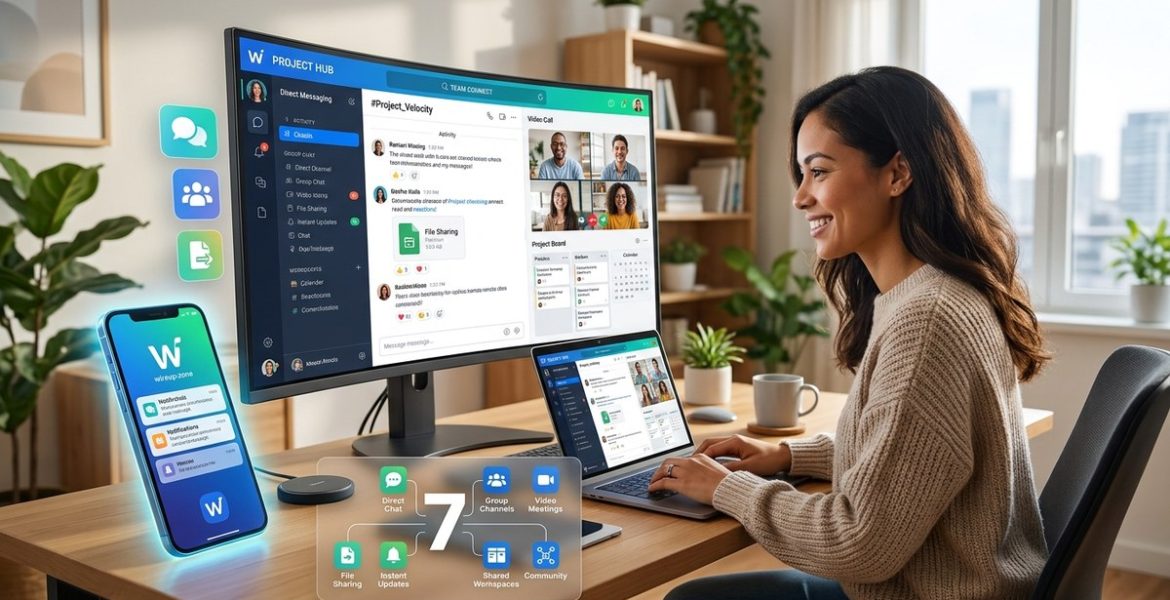
7 Ways Social Networks Can Replace Your Remote Team’s Email Overload in 2026
On 23 November 2026 by scarlettYour team’s inbox is a black hole. You send a message, wait for hours, then get a reply that only raises more questions. Sound familiar? For remote teams in 2026, email has become the biggest bottleneck to getting work done. The good news is that social networks built for internal collaboration can replace email almost entirely. They are faster, more transparent, and far less stressful.
Replacing email with a social network for your remote team is not about ditching a tool. It is about changing how your team communicates. By moving conversations, decisions, and files into a shared feed, you reduce inbox clutter, speed up response times, and create a searchable record. This guide shows you exactly how to make the shift work.
Why Email Fails Distributed Teams
Email was designed for one-to-one correspondence, not for group collaboration. When you add time zones, async work, and project threads, the cracks show fast. A single project update can generate a chain of 20 emails, each with different recipients and attachments. Someone always gets left out of the loop.
Social networks solve this by making every conversation visible to the right people from the start. Instead of sending a status update to five individuals, you post it in a channel. Everyone sees it. No forwarding needed. No cc mistakes.
The Core Shift: From Inbox to Feed
The biggest change when you replace email with a social network is the mental model. Email is a pull system. You have to check your inbox, sort through spam, and hunt for the signal. A social feed is a push system. Updates appear in a stream. You see what matters without searching.
This shift also changes how you organize information. Email folders are static and private. Social feeds are dynamic and shared. A team member can scroll back through last week’s channel to find a decision without asking anyone. That is a huge time saver for distributed teams.
7 Ways to Replace Email with Social Networks
Here is a practical numbered list of strategies to make the switch work for your remote team. Each one tackles a specific email pain point.
-
Move all project updates to dedicated channels. Create a channel for each active project. Every status update, question, or blocker goes there instead of a group email. This keeps the entire team informed without flooding inboxes.
-
Use threads for decision making. When a decision needs input, start a thread in the relevant channel. Tag the people who need to weigh in. The thread becomes a permanent record of the discussion and the final call. No more digging through email chains to find out why a choice was made.
-
Replace email announcements with pinned posts. Company wide news, policy changes, or milestone celebrations should be a single pinned post in a general channel. Everyone sees it when they log in. No need to worry about someone missing an email because it went to spam.
-
Handle file sharing inside the feed. Instead of attaching a document to an email, upload it directly to the relevant channel. The file lives alongside the conversation about it. Anyone who joins the project later can find the file and the context in one place.
-
Use direct messages for personal coordination. Social networks still support one on one chats. Use these for scheduling, quick clarifications, or private feedback. This keeps personal conversations out of the project channels and reduces the overall volume of email.
-
Set up automated notifications for critical updates. Most social platforms let you configure alerts for specific keywords or mentions. Use these to stay on top of urgent items without checking email. This replaces the “urgent” email flag with a more reliable notification system.
-
Archive completed projects. Once a project wraps up, archive its channel. The conversation history is preserved for reference, but it stops cluttering the active feed. This is cleaner than leaving old email threads in your inbox.
Common Mistakes When Making the Switch
Even with the best intentions, teams often stumble when they try to replace email with a social network. Here is a table that breaks down the most common mistakes and how to avoid them.
| Mistake | Why It Happens | Better Approach |
|---|---|---|
| Too many channels | Teams create a channel for every tiny topic | Start with 3 to 5 core channels and add more only when needed |
| No clear naming | Channels named “general” or “random” become dumping grounds | Use descriptive names like “product launch” or “design feedback” |
| Ignoring the feed | Team members treat the social network as optional | Set a team norm that all project communication happens in the feed, not email |
| Over notification | Every post triggers a push alert | Customize notification settings so only mentions and direct messages ping you |
| Forgetting search | People still ask for info that is already in the feed | Teach your team to search the feed before asking a question |
How to Onboard Your Team Without Chaos
Moving from email to a social network is a culture change, not just a tool swap. If you announce the switch on a Monday and expect everyone to adapt by Friday, you will face resistance. Instead, follow this bulleted list of onboarding steps.
- Start with a pilot group of three to five people who are open to change.
- Run the social network alongside email for two weeks. Do not cut email cold turkey.
- Document the rules of engagement in a single pinned post. Include when to use a channel versus a direct message.
- Celebrate visible wins. When someone finds a decision in the feed instead of asking in email, call it out.
- Gather feedback weekly for the first month. Adjust channel names and notification settings based on what your team says.
“The teams that succeed in replacing email are the ones that treat the social network as their team’s shared memory. If it is not in the feed, it did not happen.” — Sarah Chen, remote team lead at a 50 person SaaS startup.
The Tools That Make It Possible
You do not need a custom built platform. Most modern collaboration tools already have social network features built in. Look for platforms that offer persistent chat channels, threaded conversations, file uploads, and search. The key is to pick one tool and commit to it. Switching between three different apps will recreate the email chaos you are trying to escape.
For a deeper look at the specific features that matter, check out our guide on 5 social network features that reduce email overload and boost efficiency. It covers the exact capabilities that make the biggest difference for remote teams.
Measuring Success
How do you know the switch is working? Track these three metrics.
- Response time. How long does it take for a team member to get an answer to a question? In email, this can stretch to hours. In a social feed, it often drops to minutes.
- Reduced email volume. Ask your team to report how many internal emails they send per week. A successful transition should cut that number by at least 60 percent within a month.
- Searchability. Count how many times someone asks a question that was already answered in the feed. That number should trend toward zero as the team learns to search.
If you want to learn more about how social feeds can become your team’s second brain, read our article on stop searching for files: how social feeds become your team’s second brain in 2026.
When to Keep Email
Even the most enthusiastic teams should not kill email entirely. Keep it for external communication with clients, partners, and vendors. Also keep it for formal notifications like payroll updates or legal documents. The goal is to eliminate internal email, not all email. Your team’s inbox should only contain messages from people outside the organization.
Your First 30 Day Plan
Ready to make the shift? Here is a simple timeline to follow.
- Week 1: Pick your social platform and set up channels. Invite the pilot group.
- Week 2: Run both systems. Ask the pilot group to post all project updates in the feed.
- Week 3: Expand to the full team. Send a clear announcement with the rules and the timeline.
- Week 4: Turn off email notifications for internal messages. Make the social feed the default.
During this process, be patient. Some team members will adapt faster than others. Offer one on one help for anyone who struggles. The investment pays off when your team stops drowning in inbox noise and starts focusing on actual work.
For more ideas on how to strengthen team bonds using these tools, see our guide on how to strengthen remote team bonds with social networking tools.
The Real Cost of Sticking with Email
Every email your team sends has a hidden cost. The sender spends time writing it. The recipient spends time reading it. Then someone has to file it or search for it later. Multiply that by dozens of emails per person per day, and you lose hours of productive time each week. A social network cuts that overhead dramatically because it replaces the formal structure of email with a flowing, searchable conversation.
A Final Word on Making It Stick
The teams that successfully replace email with a social network are the ones that treat the transition as a habit change, not a software update. They set clear expectations. They model the behavior from the top down. And they give themselves permission to adjust the approach as they learn what works.
Start small. Pick one project and move all its communication to a social channel. See how it feels. When you notice the benefits, you will want to move the next project, and the next. Before you know it, your inbox will be a quiet place reserved for external messages, and your team will be collaborating in a way that feels natural, fast, and human.
Give it a try this week. Your team will thank you.
Leave a Reply