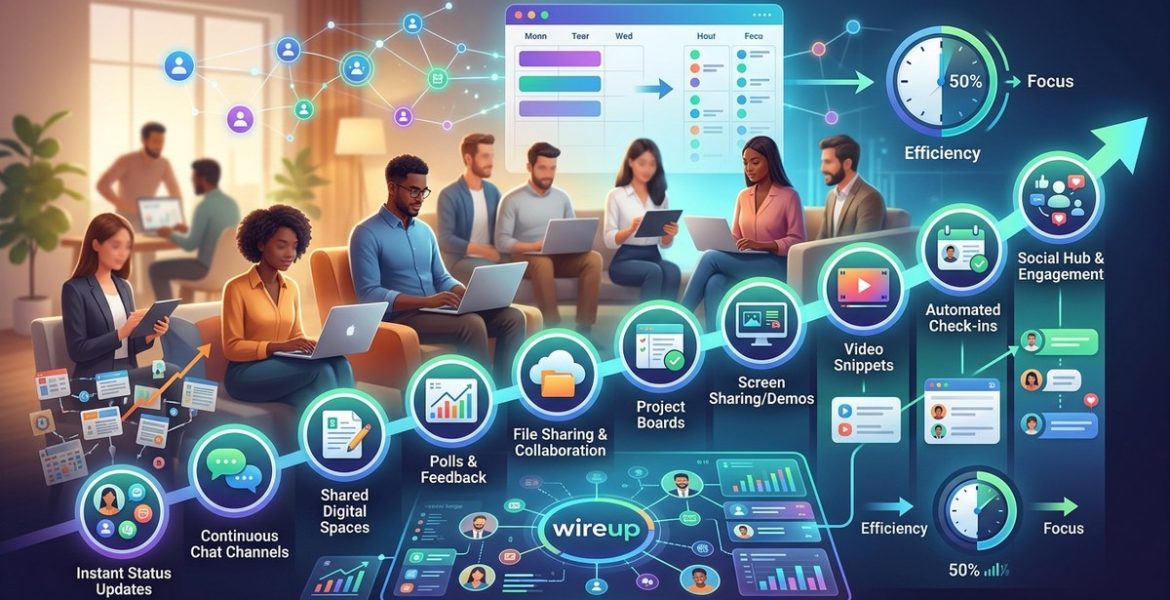
10 Ways Social Networking Can Cut Your Remote Team’s Meeting Time in Half
On 9 July 2026 by scarlettRemote teams spend a staggering amount of time in meetings. You already know the feeling. Your calendar looks like a patchwork of video calls, stand ups, and check ins. By the end of the day, you have done little actual work. The problem is not that meetings are evil. The problem is that too many meetings exist because your team lacks better ways to communicate. Social networking tools designed for remote work can change that. When used correctly, they replace the need for many live calls and let your team move faster.
Social networking tools cut meeting time by shifting status updates, quick questions, and file reviews out of live calls and into persistent channels. Teams that adopt async communication, status feeds, and structured group spaces can reduce weekly meeting hours by up to 50 percent while keeping everyone aligned and informed.
Why Meetings Multiply in Remote Teams
When you work in an office, you overhear conversations. You catch someone at their desk. You see a whiteboard update as you walk by. Remote teams lack those casual touchpoints. To compensate, leaders schedule meetings. A ten minute stand up turns into a thirty minute call. A quick status check becomes a recurring weekly sync. Before long, your team spends more time talking about work than doing it.
Social networking platforms solve this by recreating the best parts of office visibility. They let team members share updates, ask questions, and review work without needing to be in the same room or on the same call.
The Core Shift: From Sync to Async
The single biggest change you can make is moving from synchronous communication (meetings, live calls) to asynchronous communication (posts, threads, recorded updates). Social networking tools are built for this. They act like an internal feed where everyone can contribute on their own time.
Here is a practical numbered list of processes to start with.
-
Replace the daily stand up with a status feed. Instead of a morning video call, have each person post a short update in a dedicated channel. What they worked on yesterday. What they are doing today. Any blockers. Team members can read these updates whenever they start their day. No more waiting for the last person to join the call.
-
Move decision making to threads. When a decision needs input from three people, do not schedule a meeting. Create a thread in your social networking tool. Tag the relevant people. Give them a deadline to respond. The answer lives in the thread forever, and no one has to attend a call to say “I agree.”
-
Use channels for projects, not for people. Instead of a general chat channel for the whole company, create a channel for each active project. Keep all discussions, files, and decisions inside that channel. This reduces the need for project update meetings because everyone can scroll the channel to catch up.
-
Record short video updates instead of hosting all hands. Once a week, record a two minute video summarizing progress and priorities. Post it in the team feed. People watch it when they have time. This eliminates the weekly all hands meeting that often runs thirty minutes.
-
Create a “help wanted” channel. When someone needs input, they post in this channel instead of scheduling a call. Others respond asynchronously. This cuts down on spontaneous meeting requests that interrupt deep work.
-
Set up automated check ins. Use bots or built in features to prompt team members for daily or weekly status updates. The tool collects responses and posts them in a shared feed. No human facilitator needed.
-
Use polls for group decisions. Need to pick a meeting time, choose a tool, or decide on a deadline? Post a poll. Everyone votes. The result is visible to all. No meeting required.
-
Encourage “document first” culture. Before any meeting, require a written document or post that outlines the topic, the options, and the proposed decision. Team members read it before the call. The meeting then focuses only on discussion and agreement, not on information sharing. This cuts meeting time in half.
-
Create a searchable FAQ channel. When the same questions come up repeatedly, add the answers to a dedicated channel. New hires and existing team members can search instead of asking in a meeting.
-
Designate “no meeting” days. Use your social networking tool to communicate and enforce at least one day per week with no internal meetings. All communication happens through posts, threads, and async updates. Teams that try this often report a 40 percent drop in total meeting hours.
Common Mistakes That Waste Time
Even with the right tools, teams can fall into traps. Here is a table that compares effective techniques with common mistakes.
| Effective Technique | Common Mistake |
|---|---|
| Posting async updates in a dedicated channel | Sending the same update via email and Slack, doubling the work |
| Using threads for focused decisions | Letting every thread turn into a long, off topic chat |
| Recording a short video update | Hosting a live call that could have been a two minute recording |
| Creating project specific channels | Using one giant channel for everything, forcing everyone to read noise |
| Setting a clear deadline for async responses | Leaving threads open forever with no expectation of reply |
Which Social Networking Features Matter Most
Not all tools are the same. When you are evaluating platforms, look for these features. They directly support the goal to reduce remote team meeting time.
- Persistent chat channels with threading. This lets conversations stay organized and searchable.
- Status updates and activity feeds. A place where team members post what they are working on without needing a call.
- Built in polls and surveys. For quick group decisions.
- Video recording and sharing. So you can record a message instead of scheduling a live call.
- Integration with your calendar and project management tools. This keeps everything connected and reduces the need for status meetings.
- Search that actually works. If people cannot find past decisions, they will call a meeting to rehash them.
If you want to go deeper on what to look for, check out our guide on how to integrate social networking with your daily workflow for maximum efficiency.
A Real World Example
Let us say you manage a remote team of ten people. You currently have a daily stand up that lasts 15 minutes. That is 150 minutes per week. You also have a weekly team meeting that lasts one hour. Total meeting time: 210 minutes per week just for team syncs.
Now apply the changes. Replace the daily stand up with a status feed. Each person posts two sentences. Reading the feed takes each person about three minutes. That is 30 minutes total per week for the whole team to read updates. Replace the weekly team meeting with a recorded video update and a threaded discussion. That takes you five minutes to record and each person five minutes to watch and comment. Total: 55 minutes per week.
You went from 210 minutes to 85 minutes. That is a 60 percent reduction. The team still stays informed. They still ask questions. They just do it without sitting in a live call.
“The biggest lie in remote work is that you need more meetings to stay connected. The truth is that meetings are often a substitute for good documentation and clear async communication. When you build a culture of writing things down and sharing updates in a feed, the meetings naturally disappear.” — Jason Fried, co-founder of Basecamp
How to Get Your Team On Board
Changing habits is harder than changing tools. Your team may resist at first. They are used to the rhythm of live calls. Here is how to make the switch without pushback.
Start with one meeting. Pick the daily stand up. Announce that for one week, you will try an async version. Use a dedicated channel in your social networking tool. Ask everyone to post their update by 10 AM. At the end of the week, ask for feedback. Most people will tell you they prefer it because they can start work earlier.
Then move to the weekly team meeting. Replace it with a recorded video and a threaded discussion. Again, try it for one week. Show the team the time savings. When people see that they get back two hours per week, they will not want to go back.
For more detailed steps, read our article on how to strengthen remote team bonds with social networking tools. It covers the human side of the transition.
When Meetings Are Still Necessary
Social networking does not eliminate all meetings. Some conversations need to happen live. Brainstorming sessions, sensitive feedback, and complex problem solving often benefit from real time discussion. The goal is not to ban meetings. The goal is to make sure every meeting that happens is necessary.
Ask yourself this question before scheduling any meeting: “Could this be handled with a post, a thread, or a recorded video?” If the answer is yes, do not schedule the meeting. If the answer is no, keep the meeting short and focused.
For more on choosing the right format, see our piece on maximize virtual meetings and file sharing for seamless teamwork. It helps you decide when a live call is worth it.
The Tools That Make It Easy
You do not need a complex stack. Many social networking platforms already include the features we discussed. The key is using them intentionally. Here are a few categories of tools that support this shift.
- Team communication platforms with channels, threads, and status updates.
- Async video tools for recording and sharing updates.
- Project management tools with built in comment threads and activity feeds.
- Internal wikis or knowledge bases for documentation and FAQs.
If you are still deciding on the right platform, our comparison of 7 essential social networking features every remote team needs in 2026 will help you evaluate your options.
A Simple Weekly Audit
To keep your meeting time low, run a weekly audit. Look at your calendar. Count the hours spent in internal team meetings. Then ask for each one:
- Could this have been a post in a channel?
- Could this have been a recorded update?
- Could this have been a threaded discussion?
If the answer is yes to any of those, cancel the meeting next week and replace it with the async alternative. Over time, you will train your team to default to async communication first.
Your Team Will Thank You
Less time in meetings means more time for focused work. It means fewer interruptions. It means your team can actually finish their tasks instead of constantly shifting context. Social networking tools are not just for sharing memes or casual chat. When used with intention, they become the engine that powers a high functioning remote team.
Start small. Pick one meeting this week and replace it with an async alternative. See what happens. The results will speak for themselves. And if you want a complete walkthrough of the entire process, our guide on mastering social networking for remote teams in 2026 has everything you need to build a system that works.
Leave a Reply