7 Social Network Features That Keep Remote Teams Connected Without Constant Meetings
On 18 October 2026 by scarlettRemote teams face a strange paradox. You have more tools than ever, yet team members often feel isolated. You schedule a video call to check in, and suddenly your calendar is full of meetings that could have been a message. The real trick is to build connection into the daily flow of work. Social network features inside your collaboration platforms can do exactly that. They create natural touchpoints, encourage casual conversation, and keep everyone in the loop without forcing another standing meeting.
Social network features like activity feeds, reactions, and virtual watercooler channels can replace many routine check-in meetings. When you design your team’s digital space for casual interaction, you reduce isolation and build trust. The goal is to make connection feel automatic, not scheduled. This guide covers seven specific features that deliver real results for remote teams.
Why your remote team needs social network features
Think about how you connect with colleagues in an office. You pass each other in the hallway. You share a quick laugh by the coffee machine. You see someone’s desk decoration and ask about it. These small moments build relationships over time. Remote work removes those moments.
Social network features recreate them. A team activity feed acts like a digital hallway. Reaction buttons let you acknowledge someone’s work with a thumbs up or a smile. A dedicated channel for non-work chat becomes the new coffee machine. These features work because they are asynchronous. No one has to be online at the same time. Connection happens on each person’s schedule.
The best part? These features cut down on meetings. A 2026 study from Buffer found that remote workers spend an average of 12 hours per week in meetings. Many of those meetings are status updates that could be handled through a social feed. When you use the right features, you reclaim time while staying connected.
The seven features that make the difference
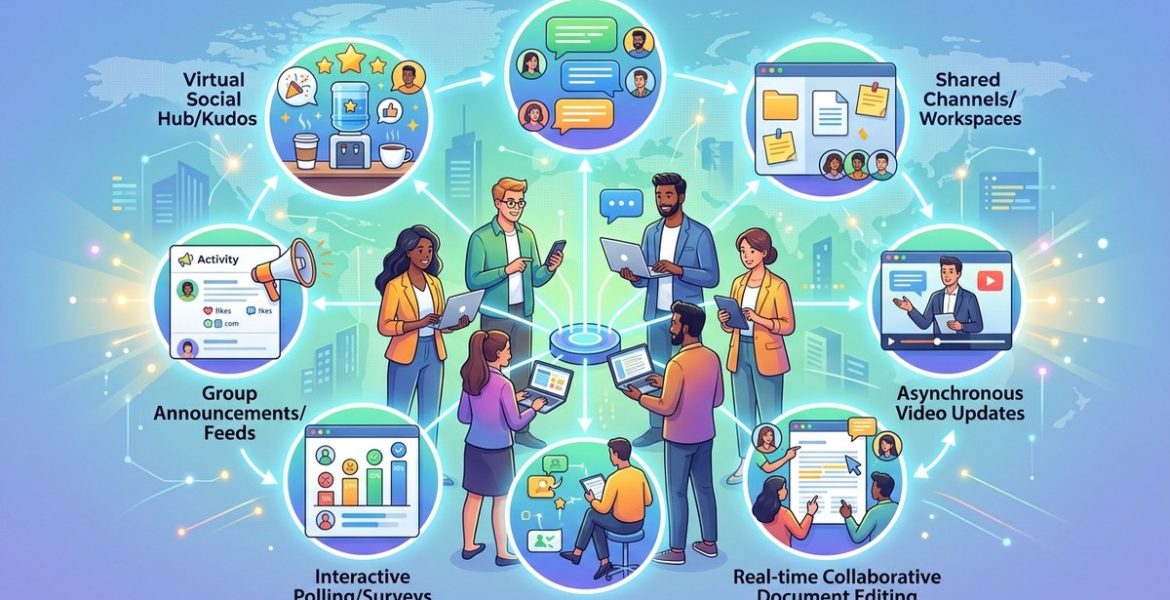
Not all social features are created equal. Some create noise. Others create genuine connection. Here are the seven that matter most for remote teams.
1. Activity feeds that show progress naturally
An activity feed is a running log of what people are working on. It appears in the main dashboard of your team platform. When someone completes a task, shares a file, or updates a project, the feed shows it.
This feature replaces the daily standup meeting. Instead of asking “What did you do yesterday?” in a video call, you can glance at the feed. You see that Sarah finished the Q1 report. You notice that Marcus uploaded new design files. You know that Priya left a comment on the client proposal.
The feed should be visible by default. It should not require anyone to click into a separate tab. When it is always present, it becomes a natural part of the workflow. Team members start to check it the same way they check their email.
2. Reaction buttons for lightweight feedback
Reactions are not just for social media. They are a powerful tool for remote teams. A thumbs up, a heart, or a “nice work” sticker can replace a long email thread or a quick call.
Reactions work because they are low effort. You do not need to craft a response. You do not need to interrupt your flow. You just click and move on. This keeps communication moving without adding friction.
For managers, reactions provide visibility into team sentiment. If you post an update and get mostly neutral reactions, you might need to follow up. If a new project gets a lot of excited reactions, you know the team is engaged.
3. Virtual watercooler channels for casual chat
Every remote team platform worth using has channels or rooms. Create one that is explicitly for non-work conversation. Call it “watercooler” or “random” or “coffee break.” The name does not matter. The purpose does.
In this channel, people share photos of their pets, ask for restaurant recommendations, or talk about the local sports team. These conversations build the personal connections that are hard to form in a purely work-focused environment.
Set a norm that it is okay to post in this channel during the workday. Some people worry that casual chat looks unproductive. As a manager, you need to model the behavior. Share a photo of your own weekend project. Ask for book recommendations. Show that it is safe to be human.
4. Asynchronous video messages for tone and warmth
Text is great for facts. It is terrible for tone. A simple question like “Can you review this?” can sound demanding in text. A short video message shows your face, your tone, and your intent.
Many team platforms now include built-in video recording. You can record a 30-second update and post it to a channel or a direct message. This is faster than scheduling a meeting and more personal than writing a paragraph.
Use video for updates that need context. Show a prototype on your screen. Explain a complex decision. Share a quick thank you to the team. These messages build trust because people see your face and hear your voice.
5. Shared calendars with social visibility
A shared calendar is a standard tool, but it becomes a social feature when you add visibility. When team members can see what others are working on, they feel more connected. They know when someone is in a deep focus block. They know when someone has a client call.
The social layer comes from optional status updates. Let people add a brief note to their calendar entry. “Finishing the marketing deck” is more helpful than just “Busy.” It gives context without requiring a meeting.
Some platforms also let you react to calendar events. You can mark yourself as “interested” in a team event or “attending” a lunch-and-learn. This turns calendar management into a lightweight social interaction.
6. Recognition and shout-out systems
People want to feel appreciated. In an office, appreciation happens naturally. Someone says “Great job on that presentation” as they walk past your desk. In a remote setting, those moments are rare.
A built-in recognition feature changes that. Some platforms have a “shout-out” or “kudos” system. You can send a public thank you to a teammate. The message appears in the activity feed for everyone to see.
This feature builds morale and reinforces good work. It also creates a record of positive feedback. When performance review time comes, you have a list of moments where the team showed appreciation. It is better than trying to remember from memory.
7. Polls and questions for quick team input
Sometimes you need a fast decision. Should the team meeting be on Tuesday or Wednesday? Which design option does the team prefer? A poll is faster than a meeting and more inclusive than an email chain.
Polls work best when they are lightweight. Do not overthink the options. Keep it to two or three choices. Let people vote and see the results in real time.
This feature also helps with team bonding. You can run fun polls like “What is the best snack for a late-night work session?” or “Which movie should we watch for the next team movie night?” These low-stakes questions build community without taking up meeting time.
How to set up these features step by step
Implementing these features does not require a major platform change. Most modern collaboration tools already include them. You just need to turn them on and set expectations.
- Audit your current platform. Check which of the seven features you already have. Many tools have activity feeds and reaction buttons that are turned off by default. Enable them first.
- Create a non-work channel. Name it something simple like “random” or “break room.” Post the first message yourself. Introduce yourself with a fun fact.
- Set a team norm for asynchronous updates. Ask everyone to post a brief status update in the activity feed at the start of their day. This replaces the morning standup.
- Introduce reaction buttons. Show the team how to use reactions. Encourage them to react to each other’s posts. Make it part of your daily routine.
- Record a short video message. Use the built-in video tool to share a weekly team update. Keep it under 60 seconds. This models the behavior for the rest of the team.
- Launch a recognition program. Start a weekly shout-out thread. Ask team members to tag someone who helped them. Make it a habit.
- Run a poll once a week. Use polls for both work and fun questions. Let the team see the results and discuss them in the channel.
Common mistakes and how to avoid them
Even good features can fail if they are implemented poorly. Here is a table of common mistakes and the right approach.
| Mistake | Why it fails | Better approach |
|---|---|---|
| Enforcing participation in casual channels | People feel forced to be social, which creates resentment | Model the behavior and invite, but never require |
| Using too many channels | Team members get overwhelmed and ignore all of them | Start with one or two channels and add more only when needed |
| Ignoring time zones | A post at 9 AM Eastern is seen at 6 PM Pacific | Encourage asynchronous posting and avoid expecting real-time replies |
| Making the feed too noisy | Every minor update appears, and people tune out | Set filters or use a “highlights” option for important posts |
| Not training the team on features | People do not know reactions or polls exist | Run a 15-minute walkthrough during a team meeting |
A practical checklist for managers
If you are a manager, use this checklist to get started today.
- Enable the activity feed in your team platform
- Create a non-work channel and post the first message
- Show the team how to use reactions
- Record a short video update this week
- Set a norm for daily status updates in the feed
- Launch a weekly shout-out thread
- Run one poll this week
- Check in after two weeks to see what is working
What the research says about social connection
Remote work does not have to be lonely. A 2025 Gallup study found that teams with strong social connection have 21% higher productivity and 37% lower turnover. The key is intentional design. You cannot just throw a chat tool at the team and hope for the best.
“The most effective remote teams do not rely on meetings for connection. They build connection into the tools they already use. A well-designed activity feed or a simple reaction button can do more for team cohesion than a weekly one-on-one.” – Dr. Laura Chen, author of Distributed by Design
Social network features work because they are persistent. A meeting ends. A message in the feed stays. A reaction is visible long after the moment passes. This creates a record of collaboration that builds culture over time.
How to measure success
You do not need complex analytics. Look for these signs that the features are working.
- Team members post in the non-work channel without prompting
- Reactions appear on most posts within a few hours
- The number of short check-in meetings drops
- People use the activity feed to ask questions instead of starting a new email thread
- New hires mention that they felt welcomed and informed from day one
If you see these signs, you are on the right track. If not, adjust your approach. Sometimes a feature needs a small tweak. Maybe the non-work channel needs a more inviting name. Maybe the team needs a reminder that reactions are welcome.
Making it work for your specific team
Every team is different. A team of designers might love visual reactions like stickers and GIFs. A team of accountants might prefer a simple thumbs up. Pay attention to what resonates.
For teams with members across many time zones, asynchronous features are critical. The activity feed becomes the central hub. Everyone can catch up on their own time. Reactions and comments let people engage without being online at the same time.
For smaller teams, the personal touch matters more. A video message from the team lead can set the tone for the week. A shout-out thread can build strong bonds in a group of five or six people.
For larger teams, structure helps. Use channels for specific topics. Keep the non-work channel separate from project updates. Use polls to gather input without creating a long thread.
Building a culture that lasts
Features are tools. Culture is what makes them work. You can have the best activity feed in the world, but if the team does not feel safe to post, it will sit empty.
Build a culture where it is okay to be casual. Where a reaction is enough. Where a short video update is welcomed, not judged. This starts with you. Post in the non-work channel. React to other people’s posts. Send a shout-out to someone who helped you.
Over time, these small actions create a habit. The team starts to do it naturally. Connection becomes part of the workflow, not an extra task on the to-do list.
Your next step
You do not need to adopt all seven features at once. Pick two or three that feel most relevant to your team. Enable them this week. See what happens.
If you want to go deeper on a specific topic, check out our guide on how to strengthen remote team bonds with social networking tools. It covers the psychology behind why these features work and how to get buy-in from skeptical team members.
The goal is not to add more tools. It is to use the tools you already have in a way that builds connection. Start small. Be consistent. Let the features do the work of keeping your team connected without another meeting on the calendar.
Leave a Reply