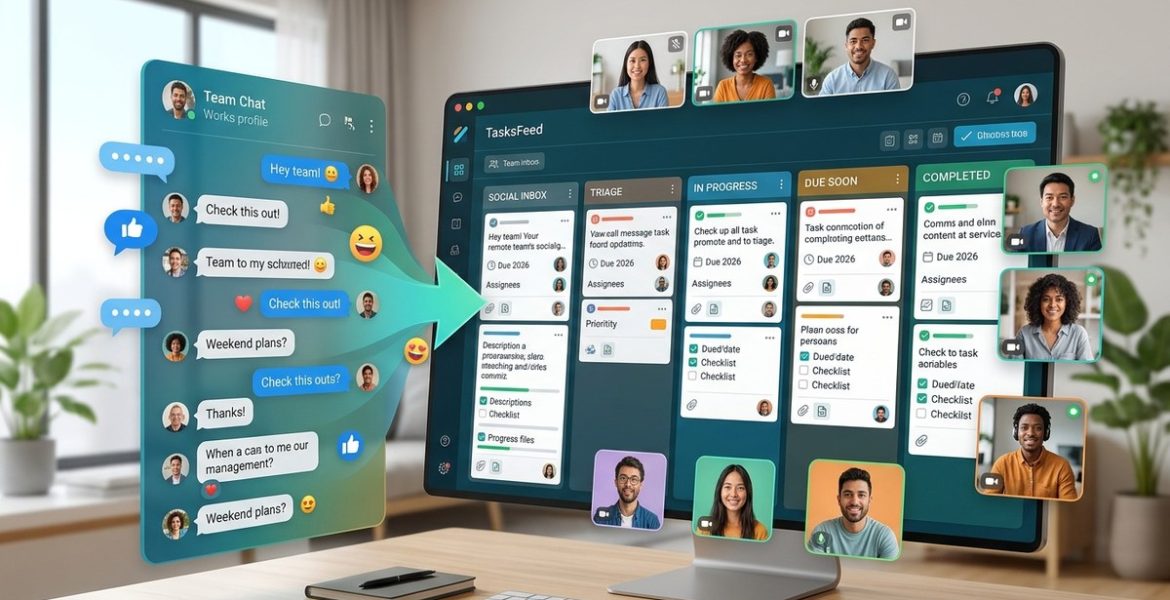
How to Turn Your Remote Team’s Social Feed Into a Proactive Task Manager in 2026
On 16 November 2026 by scarlettYour team’s social feed is probably a firehose of memes, late-night check-ins, and the occasional “does anyone know where the Figma file is?” That mix of casual chatter and work updates is a goldmine. But right now, it is likely creating noise instead of action. The good news is you do not need another expensive tool to fix this. With a few small shifts, you can turn that same feed into a system that captures requests, assigns ownership, and tracks progress without anyone leaving Slack, Teams, or your internal social network. These remote team task management tips for 2026 focus on reducing friction, not adding software.
Your team already talks about tasks in their social feed. By adding a few lightweight rules, you can turn casual posts into trackable action items. Use reaction emojis for status, create dedicated channels for requests, and pair your feed with a simple shared list. This approach reduces meetings, cuts context switching, and keeps everyone aligned without forcing a new platform on your team.
Why Your Social Feed Is Already a Task Manager
Every time a teammate types “Can someone review the Q1 deck?” or “Heads up, the staging server is down,” they are creating a task. The problem is that these requests live in a scrolling timeline. They get buried under gifs, weekend photos, and side conversations. Your team spends more time hunting for the original message than doing the actual work.
Think of your social feed as a raw stream of intent. Someone posts a question, a request, or a status update. Right now, that stream is passive. You read it, maybe reply, and then hope you remember to follow up. The trick is to make the feed itself do the remembering. By adding structure to how your team communicates, you turn every post into a potential work item.
The Three-Step Process to Flip the Switch
You can start this change today. No new subscriptions, no training videos. Just a new habit and a few shared rules.
-
Define signal versus noise. Not every post needs to become a task. Agree as a team that any message starting with a specific emoji or keyword is a request. For example, a red flag emoji means “blocker,” a raised hand means “help needed,” and a checkmark means “done.” This gives everyone a shared visual language.
-
Create a dedicated request channel. If your team uses a platform like Slack, Discord, or a private social network, set up one channel called something like “task-requests” or “action-items.” All messages that use the signal emoji get posted there. This keeps the main feed casual while funneling work into a single, scannable place.
-
Assign and close in the open. When someone posts a request in the dedicated channel, the person who picks it up replies with a reaction and a short ETA. Once it is complete, they reply with a “done” emoji. The whole thread becomes a lightweight history of who did what and when.
This process works because it lives where your team already hangs out. You are not asking them to log into a separate system. You are just adding a thin layer of intention to the conversation they are already having.
Common Mistakes That Derail the System
Even a simple process can fail if you skip the setup. Here are the most common pitfalls and how to avoid them.
| Mistake | Why It Hurts | The Fix |
|---|---|---|
| Too many emoji rules | People forget which symbol means what | Stick to 3 emoji max. Keep a pinned post with the legend. |
| No follow-through on assignments | Tasks get acknowledged but never finished | Add a weekly 10-minute review where the team checks the channel for stale items. |
| Mixing personal and work requests | The channel becomes noisy and ignored | Keep a separate “watercooler” channel for non-work posts. |
| Skipping the “done” signal | No one knows when a task is complete | Make the completion emoji mandatory. Treat it like closing a ticket. |
Expert advice: “The best task management system is the one your team actually uses. If you have to fight your team to adopt a new tool, you have already lost. Meet them where they are and add just enough structure to make the feed productive.” This quote from a remote work consultant I spoke with last month sums up the entire philosophy.
How to Handle Urgent Tasks Without the Noise
Not every task is equal. A server outage needs immediate attention. A request for next week’s agenda does not. Your social feed can handle both if you set up a priority system.
Use a simple reaction hierarchy. A fire emoji means “drop everything.” A clock emoji means “by end of day.” A calendar emoji means “this week.” When someone posts in the request channel, they add the appropriate reaction. This lets the team scan for fires first and handle the rest in order.
This method also works across time zones. A teammate in Tokyo can post a request with a “this week” reaction before they log off. Their colleague in New York sees it when they start their day and knows it is not urgent. No frantic DMs, no missed messages.
Turning the Feed Into a Searchable Record
One of the biggest frustrations with social feeds is how hard they are to search later. A task request from two weeks ago is buried under hundreds of messages. But you can fix this without a full wiki.
Encourage your team to use consistent phrasing when they close a task. For example, always write “Done: [task name]” instead of just “done.” This makes the channel searchable. A new hire can type “Done: Q1 deck” into the search bar and find the exact thread where the review happened.
For even better results, pair your social feed with a simple shared document. At the end of each week, one person copies the completed tasks from the channel into a running log. This log becomes your team’s informal changelog. It is great for standups, performance reviews, and onboarding. If you want to go deeper, check out our guide on how to turn your team’s social feed into a real-time knowledge base in 2026 for more advanced tactics.
When to Graduate to a Dedicated Tool
This lightweight system works best for teams of 5 to 15 people. If your team is larger, or if you need detailed reporting, you might outgrow the feed approach. That is okay. The beauty of this method is that it builds the habit of capturing tasks first. When you do move to a tool like Asana or Trello, your team already knows how to write clear requests, assign ownership, and mark things done.
You can also use the feed as a bridge. Keep the social channel for quick tasks and use a tool for long-term projects. This hybrid approach gives you the best of both worlds: the speed of chat and the structure of a project board.
A Simple Table to Compare the Feed Method vs. Traditional Tools
| Feature | Social Feed Method | Traditional Tool |
|---|---|---|
| Setup time | 10 minutes | 1-2 hours |
| Training needed | None | Moderate |
| Cost | $0 | $10-$30 per user/month |
| Searchability | Good with habits | Excellent |
| Reporting | Manual | Automatic |
| Team adoption | Very high | Medium |
The feed method wins on speed and adoption. Traditional tools win on reporting and scale. Choose based on where your team is right now.
How to Get Buy-In From Your Team
The biggest hurdle is not the process itself. It is getting everyone to use it consistently. Here is how to make the transition smooth.
Start with a single week-long experiment. Tell your team, “For the next five days, let us try using a red flag emoji for urgent tasks and a dedicated channel for requests. No pressure to be perfect. We will review on Friday.” This lowers the stakes. People are more willing to try something when they know it is temporary.
During the week, lead by example. Post your own requests using the new system. Reply with the correct emoji. When someone forgets, gently remind them instead of scolding them. The goal is to build a habit, not enforce a rule.
At the end of the week, ask for honest feedback. What worked? What felt awkward? Adjust the system based on their input. Maybe three emoji is too many. Maybe the channel needs a different name. Let the team shape the process. When they own it, they will use it.
Your Next Step
You do not need a complicated rollout or a budget request. Start today. Pick one emoji and one channel. Tell your team, “Let us try this for a week.” See how many tasks stop falling through the cracks. You might be surprised at how much your social feed already knows about what needs to get done.
For more ideas on making your team’s communication work harder, read our article on how to strengthen remote team bonds with social networking tools. It covers the human side of keeping a distributed team connected and motivated.
Making the Feed Work for Every Role
Different roles use the feed differently. A designer might post a request for feedback on a mockup. An engineer might flag a bug. A project manager might ask for status updates. The system should flex to fit each role, not the other way around.
Here is how each role can use the feed effectively:
- Designers: Post a screenshot with a question mark emoji. Teammates reply with specific feedback in the thread. The designer marks it done when revisions are submitted.
- Engineers: Use the fire emoji for production bugs. Post the error message and the affected service. The person who fixes it replies with the commit link.
- Project managers: Post daily or weekly priorities as a single message with a calendar emoji. Teammates react with their initials to claim tasks.
- Leadership: Use the feed to share strategic requests, like “Please review the new OKR draft by Friday.” Add a clock emoji for the deadline.
When each role has a clear pattern, the feed becomes predictable. Everyone knows where to look for their type of work.
The Role of Async Communication
Your social feed is the ultimate async tool. No one has to be online at the same time. A request posted at 9 AM in San Francisco is waiting for someone in London when they start their day. This reduces the pressure to respond instantly and lets people work in their own flow.
To make async work well, encourage your team to write complete requests. Instead of “Hey, can you look at this?” write “Hey, can you review the homepage copy for typos? Here is the link. No rush, but by Thursday would be great.” A complete request includes the what, the where, and the when. This saves everyone back-and-forth messages.
If your team struggles with async communication, our guide on maximizing virtual meetings and file sharing for seamless teamwork offers strategies for keeping information clear and accessible.
When the Feed Feels Like Noise
Sometimes the feed still feels overwhelming. If your team is posting too many requests, or if the channel is getting cluttered, it is time to refine the rules.
Try adding a “request format.” Ask everyone to start their message with a one-line summary. For example: “REVIEW: Homepage copy” or “BUG: Login page crashes on mobile.” This makes the channel scannable. People can read the first line and decide if they need to open the thread.
You can also set a “no requests after 6 PM” rule in the team’s local time zone. This prevents late-night pings from creating anxiety. The request can wait until morning. If it is truly urgent, the person can use the fire emoji to signal that it overrides the rule.
The One Rule You Should Never Break
No matter how you structure your feed, never let it become a place where people assign work without consent. A social feed is not a command center. If someone posts a request, the person they are asking should have the chance to accept or decline. A reaction like a checkmark should mean “I will take this,” not “I saw this.”
This keeps the culture respectful. Tasks are offered, not dumped. Your team will feel more in control of their workload, which reduces burnout and increases trust.
Final Thoughts
Your remote team’s social feed is already full of intent. Every question, every “heads up,” every “can someone” is a task waiting to be born. By adding a few lightweight signals, a dedicated channel, and a habit of closing the loop, you turn that feed into a proactive task manager. No new software. No learning curve. Just a smarter way to use what you already have.
Try it for one week. You might find that your team’s best productivity tool was right in front of you the whole time.
Leave a Reply