How Social Networking Can Cut Your Remote Team’s Email Traffic by 80%
On 10 July 2026 by scarlettYour team’s inbox is overflowing. Every morning brings a flood of CC’d threads, status updates, and questions that could have been answered with a single sentence in a chat. You are not alone. Remote teams generate roughly 40% more internal email than co-located teams, according to a 2025 workplace study. The fix does not require another email plugin or a stricter inbox policy. It requires a shift in how your team communicates.
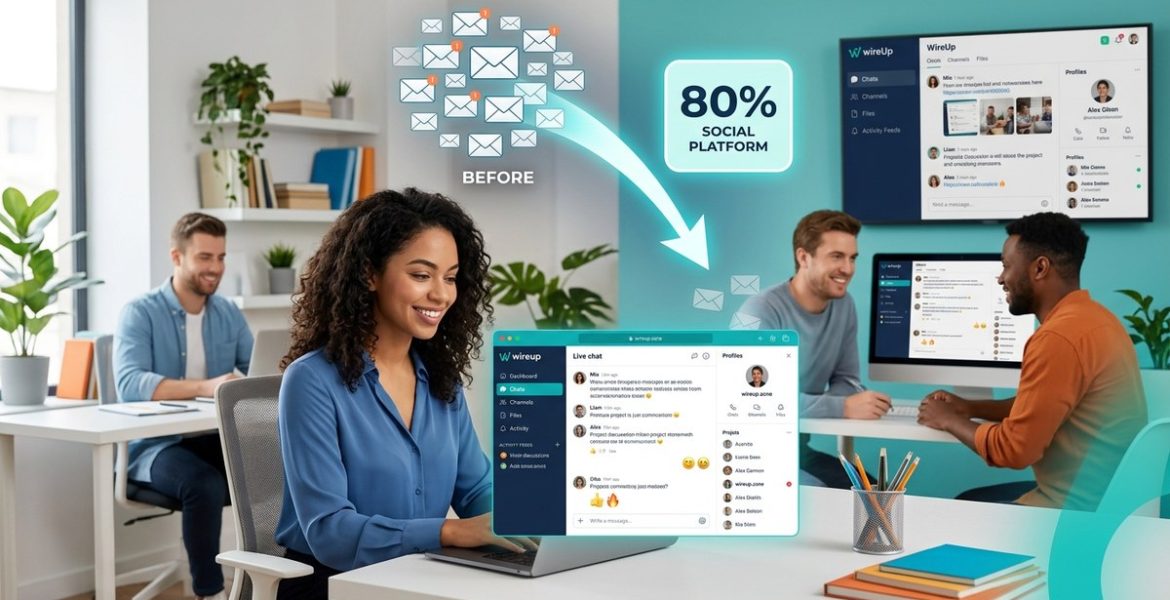
Social networking tools cut remote team email traffic by shifting short updates, questions, and file sharing out of inboxes and into streams. By adopting channels for announcements, casual check-ins, and project-specific discussions, your team can reduce internal email by up to 80%. The key is setting clear rules: use email only for formal documents and external clients. Everything else goes to the social feed.
Why Email Became the Enemy of Remote Work
Email was never designed for real-time collaboration. It works well for sending a contract to a client or confirming a meeting time. But for remote teams, email has become a dumping ground. A designer shares a mockup via email. Three people reply with feedback. Someone hits “Reply All” by accident. The thread grows to 30 messages. Nobody can find the final version.
Social networking platforms solve this by making conversations visible, searchable, and organized. Instead of hunting through an inbox, team members can scroll a feed, jump into a channel, or tag a colleague. The result is less noise and more signal.
The 3-Step Process to Cut Email by 80%
Here is a straightforward process to reduce remote team email traffic using social networking tools. Follow these steps in order.
-
Audit your current email flow. For one week, ask each team member to tag every internal email with a category: question, status update, document share, announcement, or meeting request. At the end of the week, count how many emails fall into each bucket. You will likely find that 70% or more are status updates and questions.
-
Choose the right channels. Pick a social networking platform that supports threaded conversations, channels, and direct messaging. Set up dedicated channels for each project, a general channel for water-cooler chat, and an announcements channel. Move all status updates and questions into these channels. Reserve email only for external communication and formal approvals.
-
Create a communication charter. Write down what goes where. For example: “All project questions go in the #project-name channel. All daily standups go in #standups. Email is for client contracts and HR documents only.” Share this charter with the team and enforce it for 30 days.
What to Move Out of Email and Into Social Feeds
Not every email needs to disappear. Some messages belong in your inbox. The table below shows what to keep and what to shift.
| Type of Message | Keep in Email | Move to Social Feed |
|---|---|---|
| Client contracts and invoices | Yes | No |
| Project status updates | No | Yes |
| Quick questions for a colleague | No | Yes |
| File sharing and feedback | No | Yes |
| HR announcements (benefits, policy) | No | Yes |
| Formal performance reviews | Yes | No |
| Casual team chat or celebrations | No | Yes |
| Meeting agendas and notes | No | Yes |
The rule is simple: if it is internal and does not require a formal paper trail, it belongs in the social feed.
Common Mistakes That Keep Email Traffic High
Many teams try to adopt social networking but fail because they make these errors.
-
Keeping email as a backup. When team members send a message in the social feed and also CC the same people via email “just in case,” they double the noise. Pick one channel and stick to it.
-
Not training new hires. A new team member who joins and sees everyone using email will default to email. Onboard them into the social platform on day one.
-
Allowing long threads in direct messages. DMs can become just as cluttered as email. Encourage team members to move multi-person conversations into a channel where others can find them.
-
Ignoring search functionality. Social feeds are searchable. If your team does not use the search bar, they will keep emailing old threads to themselves.
“The teams that cut email the fastest are the ones that treat the social feed as the single source of truth. Email becomes the exception, not the default.” – Sarah Kim, Remote Operations Lead at a 200-person distributed company.
Tools and Features That Make the Switch Easy
Most social networking platforms for remote teams include features designed to replace email. Here are the ones that matter most.
-
Threaded replies. Instead of a flat inbox, threads keep conversations organized. A question gets one answer, not a chain of 15 emails.
-
Channel-based organization. Create a channel for each client, project, or department. Team members subscribe only to what they need.
-
Reactions and acknowledgments. A thumbs-up emoji replaces a “Got it, thanks” email. This alone can cut email volume by 15%.
-
Pinned posts. Important announcements stay at the top of a channel instead of getting buried in an inbox.
-
File previews. Viewing a PDF or image inline means no more “Please find attached” emails.
For a deeper look at which features matter most, check out 5 social network features that reduce email overload and boost efficiency.
How to Handle Resistance From Your Team
Some team members will push back. They are used to email. They trust it. Here is how to handle the most common objections.
-
“I miss important stuff in the feed.” Set up notifications for mentions and direct messages. Teach team members to use the “unread” filter in their social feed.
-
“Email is more professional.” Explain that professionalism is about clarity and speed, not the tool. A message in a channel is just as professional as an email.
-
“I do not have time to learn a new tool.” The learning curve for most social platforms is under 30 minutes. Run a single 45-minute workshop and offer a cheat sheet.
-
“What if the platform goes down?” Have a backup plan. If the social feed is unavailable for more than an hour, use a single email thread for urgent messages. Do not revert to full email mode.
If you want to build a stronger case for the switch, read why social networking is the secret weapon for remote team success in 2026.
Measuring Your Progress
You cannot manage what you do not measure. Track these metrics in the first month after switching.
-
Internal email count. Use your email analytics to count messages sent within your domain. Aim for an 80% reduction by week four.
-
Response time. Social feeds are faster. Measure the average time between a question and the first reply. It should drop from hours to minutes.
-
Message visibility. In email, only the recipients see a thread. In a social feed, anyone in the channel can find it. Track how often team members reply to messages that were not directly addressed to them.
-
Team satisfaction. Send a short survey asking: “Do you feel less overwhelmed by communication?” Target a score of 4 out of 5 or higher.
A Realistic Timeline for Change
Do not expect the shift to happen overnight. Here is a realistic timeline.
-
Week 1: Audit email. Set up the social platform. Share the charter.
-
Week 2: Move all status updates and questions to the feed. Keep email for external use only.
-
Week 3: Address pushback. Adjust channels based on feedback.
-
Week 4: Measure results. Celebrate wins. Tweak the charter.
-
Month 2 onwards: Reinforce the habit. Onboard new hires directly into the social feed.
Putting This Into Practice
Your team does not need to suffer through another year of email overload. The tools exist. The strategies are proven. The only missing piece is the decision to start.
Begin with the audit this week. Count how many internal emails your team sends. Then set up a social networking platform and move one type of message out of email. Start with status updates. That single change will free up hours of inbox time.
For more ideas on making the transition smooth, explore how to integrate social networking with your daily workflow for maximum efficiency.
Your team will thank you. And your inbox will finally breathe.
Leave a Reply