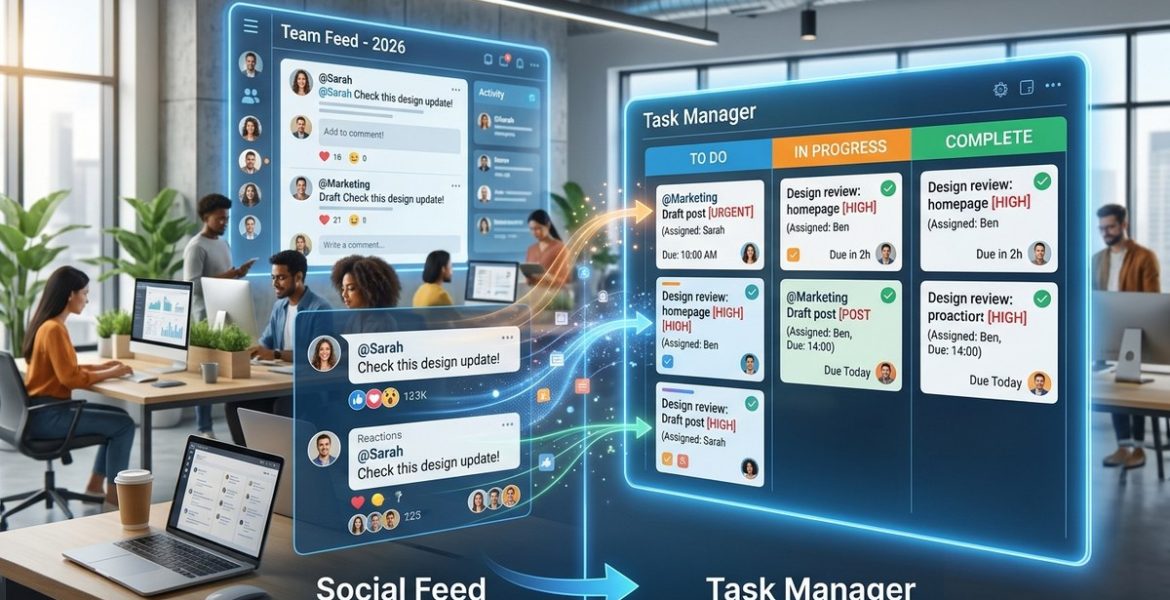
Turn Your Team’s Social Feed Into a Proactive Task Manager in 2026
On 17 November 2026 by scarlettYour team lives in Slack, Teams, or Discord. That channel is a firehose of ideas, requests, and half-formed plans. Someone posts a client revision. Another person drops a link to a design mockup. A manager types “Can someone look at the Q3 numbers?” and the message scrolls away forever.
That lost signal is costing you. In 2026, the average agency or startup team spends nearly 20% of its week hunting for information that was already shared. You do not need a new, complex project management tool. You need to turn the feed you already have into a proactive task manager.
Your team’s social feed already contains every task, request, and decision you need. By using lightweight tagging, reaction-based assignments, and automated reminders, you can turn chat noise into a structured workflow. This guide shows you how to implement a social feed task manager in 2026 without forcing your team to adopt a new tool.
Why Your Chat Feed Already Works Like a Task Manager
Think about how your team communicates right now. A designer posts a draft. A copywriter asks for feedback. An account manager flags a deadline. Each of these moments is a task waiting to happen. The problem is that these messages lack structure.
A social feed task manager in 2026 does not replace your chat app. It adds a thin layer of process on top of it. That layer lets you capture, assign, and track work without leaving the conversation.
The Three Signals You Are Missing
Your feed contains three types of signals that can become tasks.
- Direct requests. Someone says “Can you update the homepage banner?” That is a task.
- Implied actions. A teammate shares a bug report screenshot. That implies someone needs to fix it.
- Decisions. The group agrees to change a deadline. That decision needs to be recorded and acted on.
Most teams let these signals slip. A social feed task manager catches them.
How to Set Up a Social Feed Task Manager in 2026
You do not need a new subscription. You need a protocol. Here is a process that works with any modern chat platform.
Step 1: Define Your Task Triggers
Agree with your team on what counts as a task trigger. Keep it simple. Use these three categories:
- A request directed at a specific person
- A question that requires follow-up work
- A decision that changes a deadline or deliverable
Write these down. Share them in a pinned message. Everyone needs to know what to look for.
Step 2: Use Reactions as Assignments
Reactions are the fastest way to claim work. When someone posts a task trigger, a teammate reacts with a specific emoji to signal ownership.
- Use a checkmark (✅) for “I will do this.”
- Use an eye emoji (👀) for “I need more info.”
- Use a calendar emoji (📅) for “I will schedule this.”
This system works because it takes less than a second. No typing. No context switching. Just a tap.
Step 3: Apply Labels in the Thread
Most chat apps let you add keywords or tags to a message. Use a consistent label format. For example:
[task]for action items[decision]for recorded choices[waiting]for items blocked on someone else
These labels make the feed searchable. Later, anyone can scroll back and find every [task] from this week.
Step 4: Automate Reminders
Here is where the magic happens. Use a simple bot or integration to scan for your labels and reactions. When a message gets a ✅ reaction and a [task] label, the bot can:
- Add the item to a shared to-do list
- Send a reminder after 24 hours if no status update appears
- Post a daily summary of open tasks in a dedicated channel
You can build this with tools like Zapier, Make, or a custom Slack bot. The setup takes an afternoon.
Step 5: Run a Weekly Feed Review
Once a week, spend fifteen minutes reviewing the labeled messages. Move any items that need longer tracking into your main project board. Archive the rest.
This keeps your social feed from becoming a permanent storage system. It stays a live task manager, not a cluttered archive.
Common Mistakes When Using a Social Feed as a Task Manager
Even a good system can fail. Here are the most common pitfalls and how to avoid them.
| Mistake | What Happens | How to Fix It |
|---|---|---|
| Too many labels | Team ignores the system | Stick to three labels max |
| No ownership signal | Tasks float in limbo | Use reactions for assignment |
| Skipping the weekly review | Feed becomes noise | Schedule a 15-minute review |
| Using different emoji | Confusion and missed tasks | Agree on three emoji and post them in a pinned message |
| Expecting perfection | Team gives up after one miss | Allow mistakes; adjust the protocol |
“The best system is the one your team will actually use. Start with the smallest possible process and add complexity only when the team asks for it.” – Anonymous operations lead at a 40-person agency
A Practical Example: From Chat to Complete
Let us walk through a real scenario.
Your account manager, Priya, posts in the #client-alpha channel: “Client wants the landing page headline changed to ‘Grow Your Business in 2026.’ Needs to go live by Friday.”
Without a system, that message scrolls up. Three people read it. Nobody acts. Friday comes, and the headline is unchanged.
With a social feed task manager, here is what happens.
- Priya adds
[task]to her message. - The copywriter, Jamal, reacts with ✅.
- The bot sees the reaction and label. It adds the task to the team’s shared list with a Friday due date.
- On Thursday, the bot posts a reminder in the channel: “Jamal has a task due Friday: update landing page headline.”
- Jamal makes the change and posts the live link in the thread with a
[done]label.
The whole loop stays in the feed. No new tool. No lost context.
How This Reduces Communication Silos
A social feed task manager in 2026 does more than track work. It breaks down silos. When tasks live in the feed, everyone sees what everyone else is doing. The design team knows the copy team has a Friday deadline. The account team sees that a bug fix is waiting on engineering.
This visibility reduces the need for status meetings. Your team can check the feed instead of sitting through a standup. For more on building this kind of transparency, read about how to turn your team’s social feed into a real-time knowledge base in 2026.
When to Upgrade to a Full Project Management Tool
This lightweight system works for teams of up to about fifteen people. Beyond that, the feed gets noisy. You will want a dedicated tool for long-term tracking.
But even then, keep the social feed as your capture layer. Use it to collect tasks, then move them to your main board. This preserves the low-friction capture while giving you the structure of a full tool.
For teams that want to go further, 5 social networking features that turn casual chit-chat into actionable team insights offers a deeper look at the signals you might be missing.
Tools That Support This Workflow in 2026
Most chat platforms can support this system. Here are a few that work especially well.
- Slack with Workflow Builder lets you automate reactions and labels easily.
- Microsoft Teams has built-in keyword alerts and Power Automate integration.
- Discord supports bots that can scan messages and post to external task lists.
- Telegram offers robust bot APIs for custom task management.
Choose the tool your team already uses. The goal is to add process, not platforms.
The One Rule You Cannot Break
Never let the system become the work. If your team spends more time managing the task feed than doing the tasks, you have overengineered it. Strip it back. Use fewer labels. Trust your team to self-assign.
The purpose of a social feed task manager is to reduce friction. If it adds friction, it fails.
From Noise to Action in 2026
Your team’s social feed is already full of tasks. You just need to catch them. Start with the smallest possible system: three labels, three reactions, and a weekly review. Run it for two weeks. Adjust as needed.
This approach works because it respects your team’s existing habits. Nobody has to learn a new interface. Nobody has to copy-paste messages into a second app. The work stays where it happens.
For teams that want to go deeper, why your remote team’s social feed should be more than just a watercooler explains how to turn casual updates into a structured workflow. And if you are dealing with scattered chat apps, 7 ways a social network replaces your remote team’s scattered chat apps in 2026 offers a consolidation strategy.
Make the Feed Work for You
The shift is small. The impact is not. By treating your social feed as a proactive task manager, you stop losing work to the scroll. You give your team a single source of truth for what needs to happen next.
Start today. Pick three emoji. Teach your team the labels. Run your first weekly review. You will be surprised how much clarity a little structure brings to a noisy feed.
Leave a Reply