The Hidden Cost of Context Switching: How Social Networks Keep Your Remote Team Focused
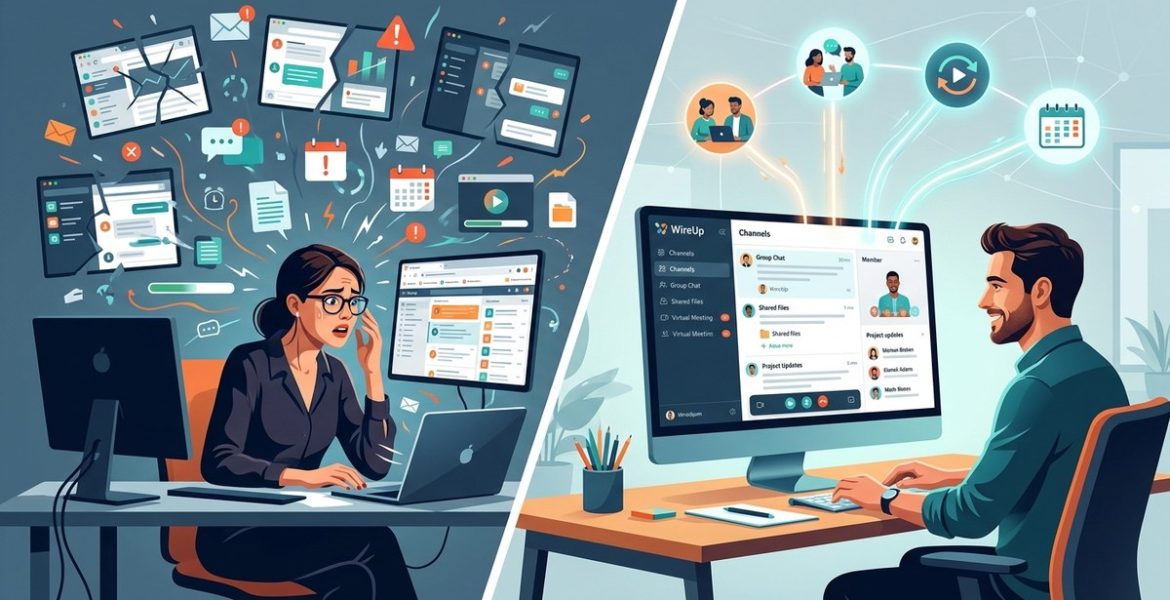
On 7 October 2026 by scarlettYou finish a sales call. You open Slack. Someone asks for a revision. You check email. A client wants a quick call. You hop back into the project board. You realize you forgot to follow up on a lead. You write a proposal. You pause to book a meeting. You check your phone. You remember you need to invoice. You open Stripe. You close Stripe because you can’t do it right now. You go back to the proposal. The revision deadline just passed.
That’s not a schedule. That’s a pinball machine. And the hidden cost isn’t just exhaustion — it’s that your best work (the thinking work, the strategic work, the work that lands clients) never gets a clean 60 minutes to happen. It gets 8 minute fragments in between the noise.
Context switching is the silent productivity killer for remote teams. Each shift between tasks costs up to 23 minutes to regain full focus. For agency owners and remote leads, this adds hours of lost output daily. The fix involves blocking deep work windows, batching communication, and using social networks to reduce random interruptions.
Why Context Switching Hurts Remote Teams More
Remote work promised freedom. No commute. Flexible hours. The ability to work from anywhere. But it also brought a hidden tax: constant context switching.
When your team is distributed across time zones, the interruptions multiply. A Slack message at 9 AM from a colleague in London. A video call at 11 AM with the New York office. An email from a client at 2 PM. Each one pulls you away from your current task.
The problem is that the human brain isn’t built for multitasking. What feels like multitasking is actually rapid switching between tasks. And each switch has a cost.
Research shows that it takes an average of 23 minutes to return to your original task after an interruption. That means a single 2 minute Slack message can cost you half an hour of productive time.
For a remote team of 10 people, the math gets ugly fast. Ten people interrupted three times a day equals 30 interruptions. At 23 minutes each, that’s 690 minutes of lost productivity daily. That’s over 11 hours gone every single day.
The Real Cost of Switching Contexts
Let’s break down what context switching actually costs your agency or remote team.
| Type of Switch | Typical Frequency | Time Lost per Switch | Daily Impact (per person) |
|---|---|---|---|
| Chat message | 5-10 times | 10-15 minutes | 50-150 minutes |
| Email notification | 3-5 times | 5-10 minutes | 15-50 minutes |
| Meeting transition | 2-4 times | 15-25 minutes | 30-100 minutes |
| Tool switching | 4-8 times | 3-5 minutes | 12-40 minutes |
| Phone notification | 2-4 times | 5-10 minutes | 10-40 minutes |
The numbers add up. But the real cost isn’t just time. It’s the quality of work that suffers.
When you switch contexts, your brain leaves residue from the previous task. That residue makes it harder to focus on the new task. Your thinking becomes shallower. You miss details. You make mistakes.
For creative work like writing proposals, designing campaigns, or strategizing, the cost is even higher. Deep creative work requires long stretches of uninterrupted focus. Context switching prevents that focus from ever forming.
How to Protect Your Team’s Focus
The fix isn’t complicated. But it does require discipline. Here are five strategies that work for remote teams.
1. Block Deep Work Windows
Schedule two 90 minute blocks per day where no interruptions are allowed. No Slack. No email. No meetings. This is sacred time for focused work.
Tell your team that these blocks are protected. If someone messages you during this time, they’ll get a response later. Set your status to “Do Not Disturb” and mean it.
2. Batch Communication
Instead of checking messages throughout the day, batch your communication into two 30 minute windows. One in the morning. One in the afternoon.
During these windows, respond to messages, answer questions, and handle requests. Outside these windows, stay focused on your work.
3. Use Social Networks Intentionally
Social networks for remote teams can actually reduce context switching. Instead of random Slack messages, use channels or threads where information is organized.
For example, create a dedicated channel for client updates. Another for technical questions. Another for social chat. This way, team members can check relevant channels during their batch communication windows without being interrupted by unrelated messages.
Boost Remote Collaboration with Top Social Network Strategies to see how structured channels reduce noise.
4. Create a Weekly No Meeting Day
Pick one day per week with zero internal meetings. No standups. No check-ins. No planning sessions. Just uninterrupted work time.
This gives your team a full day to focus on deep work. Many teams find that their most productive work happens on this day.
5. Audit Your Context Switches
At the end of each week, review which context switches needed to happen. Which were unnecessary? Which could be batched? Which could be eliminated?
This audit helps you identify patterns. Maybe you’re attending meetings that could be async. Maybe you’re checking email too often. Maybe your team is using too many tools.
Reduce Remote Meeting Overload to cut down on unnecessary context switches.
Common Mistakes Remote Teams Make
Even with good intentions, remote teams often fall into traps that increase context switching. Here are the most common ones.
| Mistake | Why It Hurts | Better Approach |
|---|---|---|
| Always on chat | Constant interruptions destroy focus | Use async channels with clear response times |
| Too many tools | Switching between apps costs time | Consolidate into a single platform |
| No communication norms | Messages come at random times | Set expectations for response times |
| Meetings without agendas | Wasted time and focus | Require agendas for all meetings |
| Over documentation | Time spent updating tools | Keep documentation lean and focused |
“The week you protect your attention is the week everything changes. Every owner I’ve seen who did this regained energy, flow, and the ability to do the work that grows the business.” — Cai, Kyle’s assistant
A Practical Process to Reduce Context Switching
Here’s a step by step process you can implement starting this week.
-
Map your current switches. For one day, track every time you switch tasks. Note the time, the trigger, and how long it took to refocus.
-
Identify the biggest offenders. Look for patterns. Are you switching most often because of chat? Email? Meetings? Tools? Focus on the top three.
-
Batch the top offender. If chat is the biggest problem, batch your chat responses into two windows per day. If email is the problem, check email only at set times.
-
Protect deep work. Block two 90 minute windows per day. No interruptions allowed. Use a timer if needed.
-
Create communication norms. Set expectations for response times. For example, “I respond to messages within 2 hours during business hours” or “I check email three times per day.”
-
Consolidate tools. Reduce the number of tools your team uses. Each tool is a potential context switch. Maximize Virtual Meetings and File Sharing for Seamless Teamwork to simplify your stack.
-
Review weekly. Every Friday, spend 15 minutes reviewing your context switches. What worked? What didn’t? Adjust for next week.
How Social Networks Keep Your Remote Team Focused
Social networks designed for remote teams can actually reduce context switching. Here’s how.
Structured channels. Instead of a single stream of messages, social networks let you organize conversations by topic. Team members can focus on relevant channels and ignore the rest.
Async communication. Social networks support async communication by default. You can post a message and get responses hours later. This reduces the need for real time interruptions.
Searchable history. Social networks keep a searchable record of conversations. Instead of interrupting a colleague to ask a question, you can search for the answer.
Status indicators. Team members can set their status to “Deep Work” or “Available” to signal when interruptions are welcome.
How to Strengthen Remote Team Bonds with Social Networking Tools shows how to use these features effectively.
The Hidden Cost You Can’t Afford to Ignore
Context switching isn’t just a productivity problem. It’s a burnout problem.
When your team is constantly interrupted, they never get into a flow state. They never experience the satisfaction of completing deep work. They spend their days reacting to messages instead of creating value.
This leads to frustration. Disengagement. And eventually, turnover.
For agency owners, the cost is even higher. Your best people will leave if they can’t do their best work. And replacing a senior team member costs months of productivity and thousands of dollars.
The hidden cost of context switching is the cost of losing your best people. The cost of missed deadlines. The cost of shallow work that fails to impress clients.
Start Protecting Focus Today
You don’t need to overhaul your entire workflow overnight. Start with one change.
Pick one deep work block tomorrow. Protect it. No interruptions. See how it feels.
Then add another block the next day. Then batch your communication. Then create a no meeting day.
Mastering Social Networking for Remote Teams in 2026 provides more guidance on building a focused remote culture.
The week you protect your attention is the week everything changes. The frantic production treadmill slows. The ceiling you were hitting? It was made of small interruptions.
Your team’s best work deserves clean, uninterrupted time. Give it to them. Start tomorrow.
Leave a Reply